
How to run Claude Code on a VPS with a full desktop
Give Claude Code a long task, close your laptop, and the work stops with it. Moving the agent to a server fixes that, but a bare server is a poor place to spend a working day. This is how I set up a VPS that runs Claude Code around the clock and still feels like a desktop.
Why a VPS
Claude Code is at its best on long tasks: reading a codebase, running tests, fixing what fails, and trying again. On a laptop, those tasks live and die with the lid. Sleep, a dropped Wi-Fi connection or a flat battery ends the session.
A small VPS never sleeps. Start a task, disconnect, and come back to find it finished or further along. SSH and tmux cover part of this, but reviewing diffs, reading docs next to a terminal and watching several agents at once is easier on a real desktop.
The setup
The stack has two layers, each its own open source project:
- claude-code-vps builds the workstation: a sudo user, key-only SSH, a firewall, KDE Plasma over RDP, Docker, the GitHub CLI and Claude Code. It also keeps your config in sync from a git repository.
- HaltOS sits on top: a monochrome, terminal-style look, VS Code, and an identity that makes the machine feel like one product instead of a server with a desktop bolted on.
On a fresh Ubuntu 25.04 or newer server, as root:
curl -fsSL https://raw.githubusercontent.com/halitsever/haltos/main/bootstrap.sh | sudo bashThe script checks for Plasma 6 before it touches anything, so on Ubuntu 24.04, which ships Plasma 5, it stops and says why. When it finishes, connect with any RDP client on port 53389.
Several agents at once
One agent per task works, but most days have more than one task. claudegrid opens a grid of Claude Code sessions in one window, each with its own prompt, model and, if you want, its own git worktree so the agents never edit the same files:
claudegrid --layout 2x2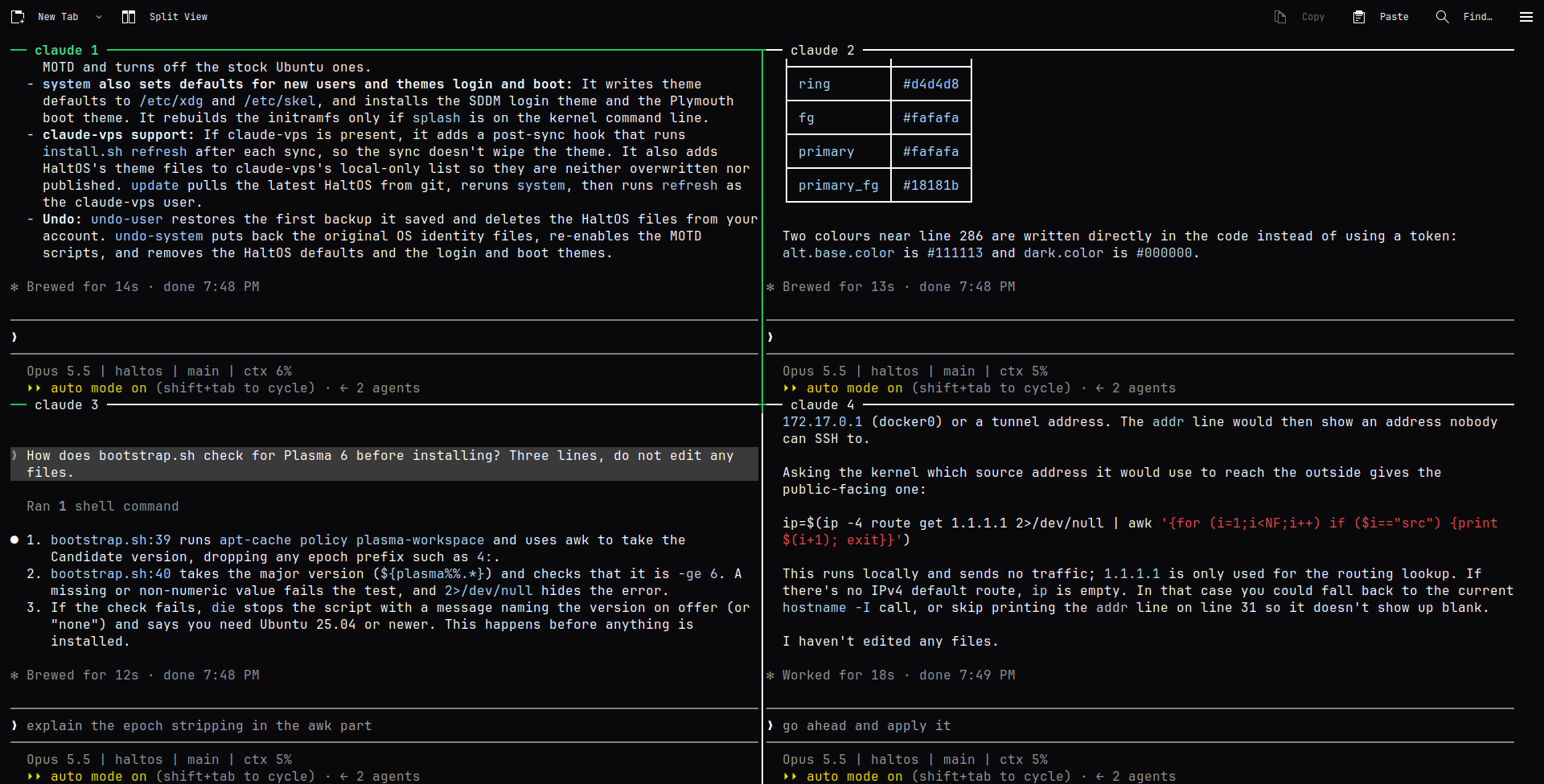
Why it looks the way it does
When an agent is working, the screen fills with its output. Everything else should get out of the way. HaltOS uses a single monochrome palette taken from shadcn's zinc scale, JetBrains Mono everywhere, and no accent colour at all. The only colour on screen is your code.
The name follows the same idea. halt is the oldest command for stopping a Unix machine, and HaltOS is built never to stop. Its wallpaper says it plainly: shutdown -h never.
A few details that took the longest
- Branding without breaking apt.
/etc/os-releasesays HaltOS, butID=ubuntustays, so PPAs and vendor install scripts keep working. The original files are kept aside withdpkg-divert, so an Ubuntu update never silently overwrites them. - Themes from code. The Kvantum widget theme, the Plasma panel and every logo and wallpaper are generated from the same tokens by small Python scripts, so the whole look can be rebuilt or recoloured in one place.
- Sync without fights. claude-code-vps syncs your KDE config from git. HaltOS lists the files it owns in a per-machine local-only list, so a sync never undoes the theme and a publish never pushes it into your dotfiles.
- Nothing private in public. The dotfiles sync skips binary files such as photos and wallpapers, because they cannot be scrubbed of personal data.
Try it
Everything is open source under the MIT license, and every change can be undone with haltos undo-user and sudo haltos undo-system. If you run Claude Code for hours at a time, give it a server that does not sleep, and tell me what is missing.