
Getting started
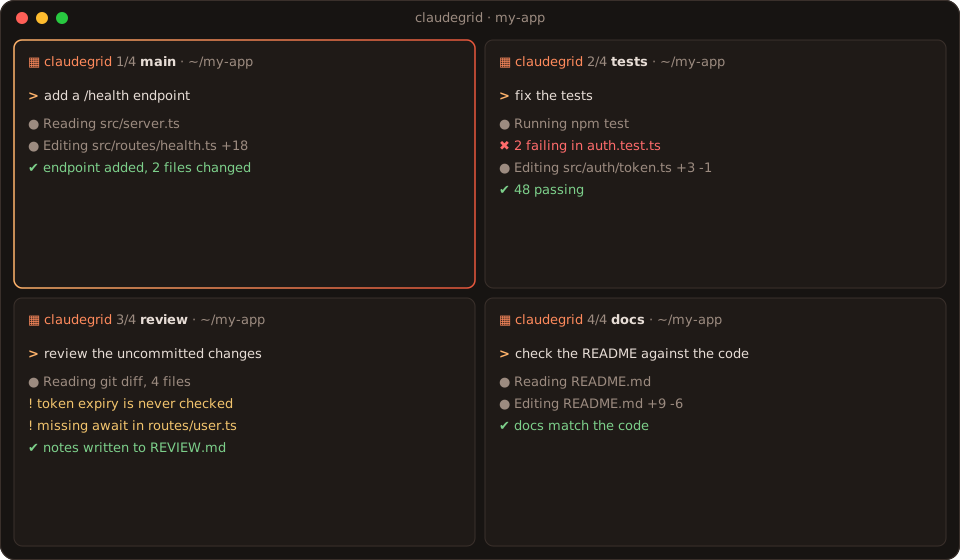
claudegrid opens several Claude Code sessions in one terminal window, laid out as a grid. Each pane can work on its own task, with its own model and, if you want, on its own git branch.
Requirements
- Node.js 20 or newer
- Claude Code, with
claudeon yourPATH - Linux or macOS
- One of these terminals:
- KDE Konsole with
qdbus6(Linux) - iTerm2 (macOS)
- tmux 3.1 or newer, which works inside any terminal and over SSH
- kitty
- WezTerm
- KDE Konsole with
Install
npm install -g @halitsever/claudegridcurl -fLO https://github.com/halitsever/claudegrid/releases/latest/download/claudegrid.deb
sudo apt install ./claudegrid.debcurl -fsSL https://raw.githubusercontent.com/halitsever/claudegrid/main/install.sh | bashgit clone https://github.com/halitsever/claudegrid.git
cd claudegrid
./install.shThe .deb package needs Node.js 20 or newer from your distro (Ubuntu 25.04 and later, Debian 13) or from NodeSource. It adds shell completion for bash, zsh and fish and puts claudegrid in your app menu.
The install script uses npm under the hood. When your global npm folder needs root, it installs into ~/.local instead. It also removes the first, bash-only version of claudegrid if it finds one.
macOS
Install Node.js and Claude Code, for example with Homebrew, then claudegrid with npm or the install script:
brew install node tmux
npm install -g @anthropic-ai/claude-code @halitsever/claudegrid
On a Mac, claudegrid uses iTerm2 when you run it there, and kitty, WezTerm or tmux otherwise. Terminal.app cannot split panes, so from Terminal.app claudegrid opens iTerm2, kitty or WezTerm when one is installed, a tmux session in Terminal.app when tmux is, and one tiled Terminal.app window per pane otherwise. The first time claudegrid drives iTerm2 or Terminal, macOS asks whether your terminal may control it. Allow it, or later in System Settings → Privacy & Security → Automation.
Check your setup
claudegrid doctor▦ claudegrid doctor
requirements
✔ node v22.22.1
✔ claude 2.1.325 (Claude Code)
✔ git git version 2.53.0
terminals
✔ konsole konsole + qdbus6 (you are in it)
✔ tmux tmux 3.6
• kitty kitty is not installed
• wezterm wezterm is not installed
→ auto picks konsoleYour first grid
cd ~/my-project
claudegrid
This opens four panes running claude in ~/my-project. To see what would happen without opening anything, add --dry-run.
Shell completion
claudegrid completion bash > ~/.local/share/bash-completion/completions/claudegridclaudegrid completion zsh > "${fpath[1]}/_claudegrid"claudegrid completion fish > ~/.config/fish/completions/claudegrid.fishCompletion also suggests the preset names from your config.
Uninstall
npm uninstall -g @halitsever/claudegrid   # npm or the install script
sudo apt remove claudegrid                # .deb
Next: Usage